5 Simple AI Automations That Can Save You an Hour a Day

Automation sounds technical, but the first steps need nothing more than an AI assistant and copy and paste. The aim is simple: find small jobs that repeat, and let AI do the first draft so you only review.
What makes a good first automation
- It repeats at least weekly.
- It takes five minutes or more each time.
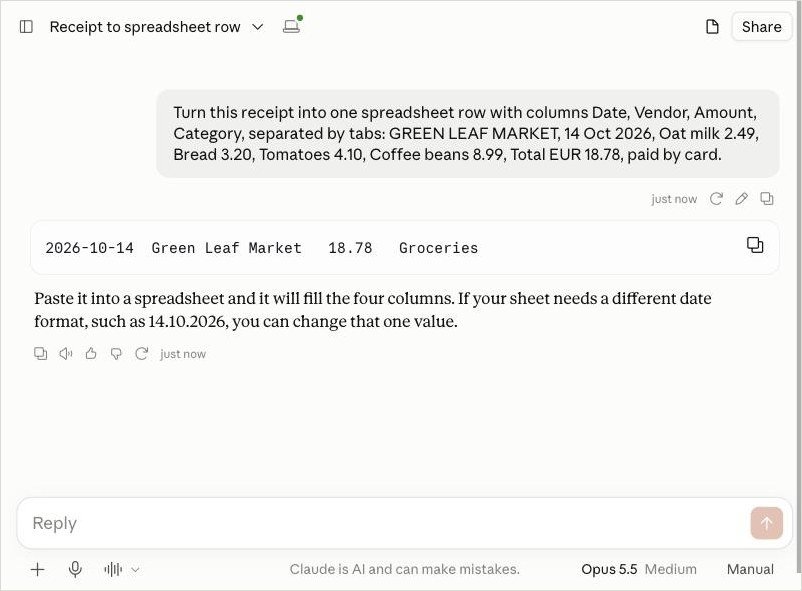
- The input and the output are clear, such as a receipt in and a spreadsheet row out.
- A small mistake is easy to spot and cheap to fix.
Manual first, connected later
All five ideas above work by copy and paste today. Later, no-code tools can connect your email or spreadsheet so the steps run by themselves. Start manually anyway: you will learn what good output looks like, and you will know exactly what to check when it is automatic.
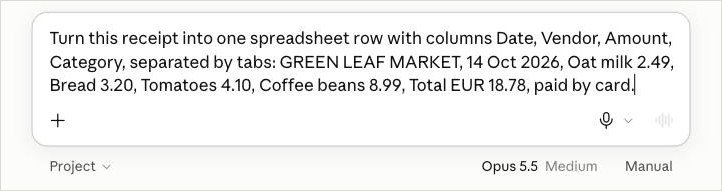
Example: receipt to spreadsheet row
How I tested this: I ran this prompt in Claude in October 2026, and the screenshots below come from that run. AI answers vary, so your result may look a little different.
How to start
- Choose the task you repeat mostIf you do it weekly, it’s a good candidate.
- Save your best promptKeep it in a note so you can reuse it in seconds.
- Check the first 5 resultsFix the prompt until the output is reliably good.
Common mistakes
- Automating something you rarely do. The setup time never pays back.
- Not checking the first results. Review at least five outputs before you trust a prompt.
- Sharing confidential data. Leave out passwords, client details and anything private.
- Over-engineering. If a saved prompt does the job, you do not need a complex setup.
Your next step
Choose one task, time yourself doing it the usual way, then run it through AI five times and time that. If it saves you real minutes, keep it. If not, try the next idea on the list.